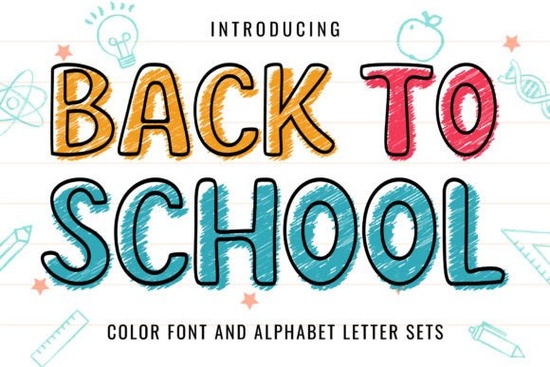
The Back to School Font is a colorful, playful typeface made for designers who want to add a fun, casual vibe to school-related projects. Whether you're designing t-shirts, stickers, greeting cards, or blog graphics, this color font brings a bold and cheerful look that grabs attention right away. It's one of those typefaces that instantly makes a design feel friendly and approachable.
What Makes the Back to School Font Stand Out?
This isn't just another handwritten-style font. The Back to School Font is a color font, which means it comes with built-in colors and shading. You don't need to manually add gradients or layer effects the font does the heavy lifting for you. That makes it a solid choice if you want to speed up your workflow without sacrificing visual impact.
Here's what it works well for:
- T-shirt designs for back-to-school season
- Book covers and notebook layouts
- Restaurant menus with a casual, kid-friendly feel
- Blog headers and social media graphics
- Greeting cards and invitations
- Stickers and planner accessories
It's especially useful for print-on-demand sellers who need designs that pop on product mockups. The built-in color gives each letter a lively, textured look that stands out in thumbnail previews which matters a lot on platforms like Etsy or Redbubble.
How Do You Use a Color Font?
If you've never worked with a color font before, don't worry it's simpler than you might think. Color fonts (also called SVG fonts) work in most modern design software, including:
- Adobe Photoshop (CC 2017 and newer)
- Adobe Illustrator (CC 2018 and newer)
- Canva (with some limitations)
- Affinity Designer
Once installed, you just select the font from your type tool and start typing. The colors and effects are already embedded. Keep in mind that color fonts typically don't support recoloring the same way standard fonts do so if you need a different color palette, you may want to use the font as-is or convert it to outlines and adjust from there.
What Other Colorful Fonts Pair Well With It?
If you're building a collection of eye-catching typefaces for school-themed or seasonal designs, there are a few other Creative Fabrica fonts worth checking out. Each one brings a different personality to the table.
The groovy school font has a retro, 70s-inspired feel with rounded edges and bold color fills. It's great for designs that lean into a vintage vibe think old-school notebook covers or throwback classroom posters. You can find Groovy School Font on Creative Fabrica if you want to explore it further.
For something more modern and clean, the hello school font offers a lighter, friendlier look. It pairs nicely with the Back to School Font when you want to mix heading and body text styles. You can browse Hello School Font to see how it compares.
If your projects sometimes overlap with patriotic or national themes say, for a school event around the Fourth of July or Veterans Day the USA flag grunge font adds a textured, distressed American flag effect to your text. It's a bold pick, but it works surprisingly well on event flyers and spirit wear. Check out the USA Flag Grunge Font for a closer look.
And for a more subtle patriotic option, the USA retro stars font uses star patterns and retro styling without being too heavy. It's a good complement when you want to keep things colorful but not overwhelming. You can find USA Retro Stars Font on Creative Fabrica as well.
Is This Font a Good Fit for Print-on-Demand?
Short answer: yes, with a small caveat. Color fonts like the Back to School Font look fantastic on digital designs and screen-based projects. For print-on-demand, the results depend on how your POD platform handles SVG fonts. Some platforms flatten color fonts correctly, while others may strip the color data.
A safe workaround is to create your design in Photoshop or Illustrator, then export it as a PNG or flattened image before uploading to your POD store. That way, the colors stay intact and you get the exact look you want on the final product.
What File Formats Does It Come With?
Typically, color fonts on Creative Fabrica include OTF or TTF files with embedded SVG data. You'll want to check the product page for the specific file types included. Make sure your design software supports color/SVG fonts before purchasing that's the most common reason people run into issues after buying.
Quick Checklist Before You Buy
- ✔ Confirm your design software supports SVG/color fonts
- ✔ Decide whether you need it for digital designs, print products, or both
- ✔ Check the license terms if you plan to use it for commercial projects
- ✔ Consider pairing it with complementary fonts for a more polished look
- ✔ Test a sample design before committing to a large product line
Next step: Visit the Back to School Font product page on Creative Fabrica, download a test file, and try it out in your next project. If it fits your style, it's a strong addition to any designer's font library especially if you create seasonal or education-themed content on a regular basis.
Download Now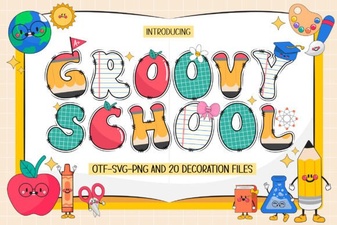 Groovy School Font: Retro Vibes for Creative Design Projects
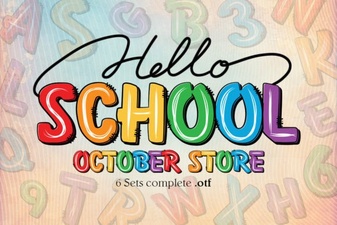 Hello School Font: Playful Designs for Classroom Creativity
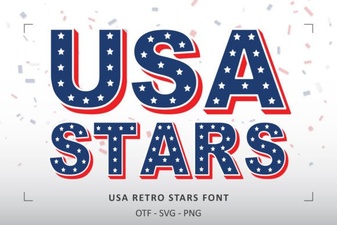 Usa Retro Stars Font for Bold Vintage Design Projects
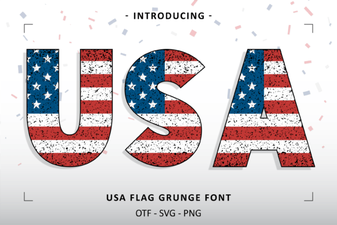 Usa Flag Grunge Font for Bold Patriotic Designs
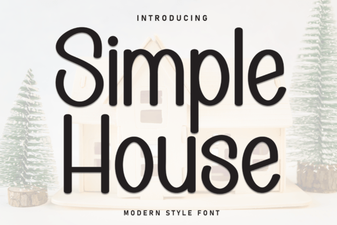 Simple House Font for Cozy and Minimal Design Projects
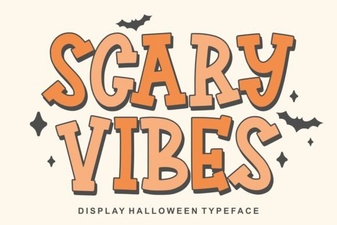 Creepy Typography for Dark Projects