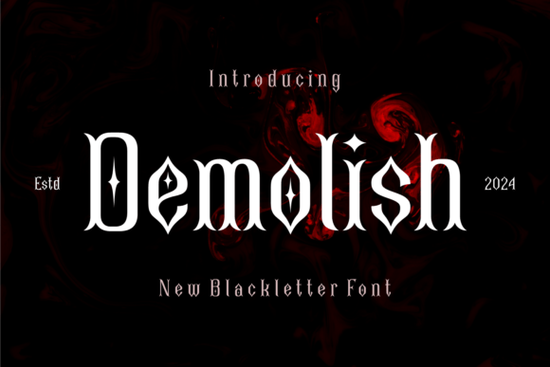
The Demolish Font is a blackletter typeface that stands out from typical medieval-style fonts. What makes it different? It weaves small rhomb-shaped details into thick, well-defined letterforms, giving you a gothic look with a subtle modern edge. If you're working on a project that needs to feel bold, strong, and a little unconventional, this font is worth a closer look.
Whether you design logos, create merchandise, or build brand identities, choosing the right typeface can make or break your layout. Let's break down what this font offers, who it works best for, and how to actually use it in real projects.
What Kind of Designs Work Best With a Bold Blackletter Style?
Blackletter fonts have a long history they trace back to medieval manuscripts and old European signage. Today, designers use them for very different reasons. The heavy strokes and sharp details create an immediate sense of authority and drama. Here are some practical uses:
- Band logos and album covers especially for rock, metal, or punk genres
- Tattoo-style graphics the thick strokes translate well to print-on-demand apparel
- Event posters think Halloween events, horror themes, or gothic-themed parties
- Beer and spirits branding blackletter has a strong presence on labels and packaging
- Sports team logos the bold weight conveys power and competitiveness
Demolish fits into all of these categories because its rhomb detailing adds a layer of visual interest you won't find in a standard blackletter typeface. It doesn't just look old it looks intentional.
How Does Demolish Compare to Other Blackletter Fonts?
There's no shortage of blackletter fonts available, but not all of them balance readability with style. Some go too far into ornamental territory and become hard to read at smaller sizes. Others are too plain and lose the dramatic feel that makes blackletter appealing in the first place.
Demolish sits in a useful middle ground. The rhomb-shaped details give each letter a textured quality without sacrificing clarity. If you've used typefaces like Dark Souls Font or Medieval Sharp, you'll notice that Demolish takes a similar bold approach but adds its own geometric twist.
You can browse more options in the full blackletter font collection to compare styles and find what fits your specific project.
Is This Font Easy to Use for Commercial Projects?
Yes. One practical concern for designers especially those selling on platforms like Etsy, Redbubble, or Merch by Amazon is licensing. You need to know that the font you're using is cleared for commercial use. When you download Demolish Font from Creative Fabrica, the license covers a wide range of commercial applications, including print-on-demand products, physical merchandise, and digital designs.
That said, always double-check the specific license terms before publishing. It takes two minutes and saves you headaches later.
What File Formats and Features Does It Include?
Demolish comes in standard font file formats that work across most design software. You can install it on both Windows and Mac systems and use it in programs like:
- Adobe Illustrator
- Adobe Photoshop
- Canva (uploaded as a brand font)
- Cricut Design Space
- Silhouette Studio
The thick letterforms hold up well when scaled, so you won't lose quality whether you're working on a small business card or a large-format banner.
How to Pair Demolish With Other Fonts
A bold display font like Demolish works best when paired with something clean and simple for body text. Here are a few pairings that tend to work well:
- Demolish + a clean sans-serif (like Montserrat or Open Sans) creates strong contrast for posters and flyers
- Demolish + a handwritten script useful for greeting cards, invitations, or social media graphics
- Demolish alone works perfectly as a standalone logo mark if the design is minimal
Avoid pairing it with other decorative or heavy fonts. Two competing display styles usually create visual noise rather than harmony.
Who Should Consider Using This Font?
This font is a solid pick for anyone who regularly works with bold, high-impact designs. Specifically:
- Print-on-demand sellers who need standout typography for apparel and accessories
- Small business owners building a brand with a strong, traditional feel
- Crafters and hobbyists making custom invitations, signs, or home décor
- Freelance designers looking for versatile display fonts for client work
Quick Checklist Before You Start Designing
- ✅ Confirm the font license covers your intended use
- ✅ Test the font at both large and small sizes to check readability
- ✅ Choose a simple secondary font for any body copy
- ✅ Use the rhomb details as a design feature keep surrounding elements clean so the font stands out
- ✅ Save your working files with the font embedded or outlined to avoid compatibility issues
Start by downloading Demolish, setting up a quick test layout, and seeing how the letterforms interact with your design elements. Sometimes the best way to judge a font is to actually set a few words in it and see how it feels in context.
Get Started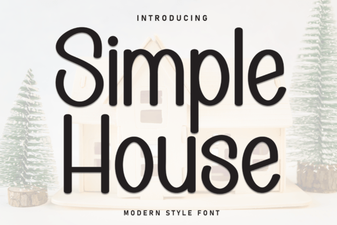 Simple House Font for Cozy and Minimal Design Projects
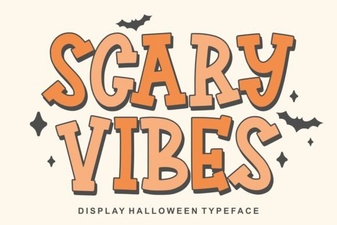 Creepy Typography for Dark Projects
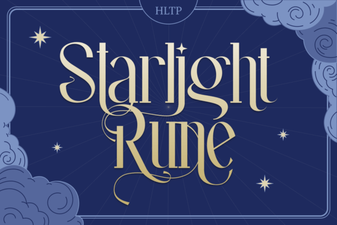 Starlight Rune Font for Mystical Design Projects
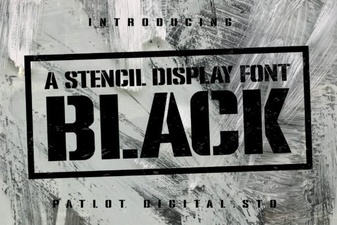 Creative Black Stencil Font for Bold Design Projects
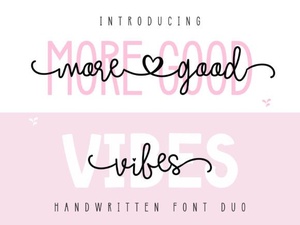 More Good Vibes Duo Font - Stylish Script Font Pair for Creative Designs
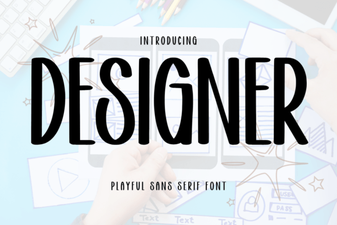 Designer Font: Elevate Your Creative Projects